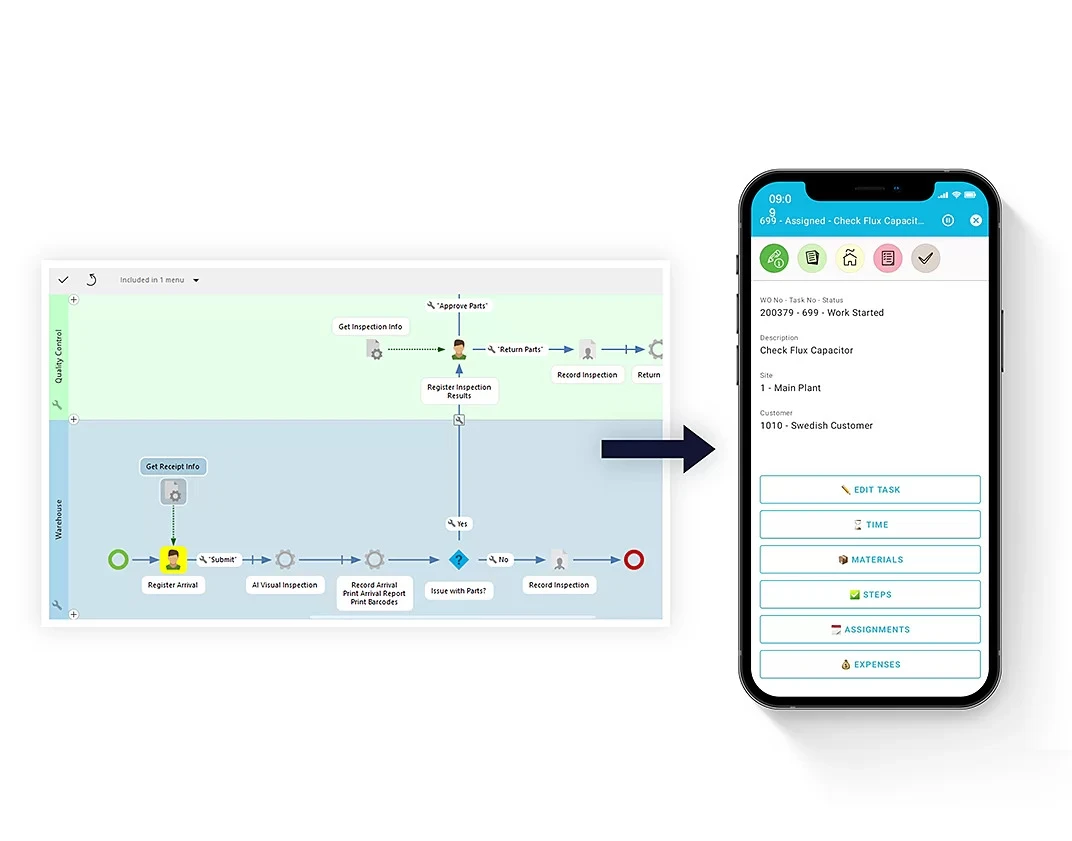
Manufacturers invest heavily in ERP, WMS, MES, and CRM systems, yet employees still lose time moving data between them. The real productivity drain isn't inside the apps—it's in the handoffs.
Manufacturers have spent years investing in ERP, warehouse, production, quality, transport, and customer management systems. Each platform does its job well. Yet employees still lose hours moving data from one app to another, waiting for approvals, or patching gaps with spreadsheets and email.
In many cases, the next productivity challenge isn't inside the applications themselves. It's in the hand-offs between them.
### When Good Systems Still Create Bad Workflows
A modern manufacturing business might rely on ERP for orders and inventory, WMS for warehouse execution, MES for production, CRM for customer data, and specialized tools for transport, quality, or maintenance.
Individually, these systems deliver accurate data and powerful features. The trouble starts when a process crosses several of them.
An employee might receive information in one app, complete part of a task in another, then manually notify someone in a third department. Data gets re-entered. An approval depends on an email. A supervisor checks multiple systems just to know if work can continue.
The organization is digital, but the process itself is still fragmented.
This matters because employees don't experience business systems in isolation. They experience complete workflows. If moving from one step to the next requires manual intervention, productivity suffers even when every platform works perfectly.
### The Hidden Cost of Handoffs
These inefficiencies are easy to overlook because each one seems tiny.
- Copying a reference number between apps takes less than a minute.
- Sending an email to confirm an inspection adds a few more.
- Switching systems to check stock, production status, or delivery feels like a normal part of the job.
But repeat those actions across hundreds of transactions and multiple departments, and the minutes add up fast.
They also introduce operational risks. Information might be entered differently in two systems. An approval can sit unnoticed in an inbox. A warehouse employee might work from data not yet reflected in the ERP. Another team waits for confirmation that's already been recorded elsewhere.
The result is hidden operational friction—hard to spot in a conventional system review. Nothing is broken. The process just demands more human effort than it should.
> "The data moved. The process did not." — that's the gap most integration projects miss.
### Why Integration Alone Doesn't Solve the Problem
The obvious fix is to integrate the systems, and modern APIs make data exchange easier than ever.
But system integration and workflow integration are not the same thing.
Two applications can exchange data flawlessly while employees still have to decide what happens next. A production event might update the ERP, but an exception still requires someone to find the right manager, request approval, and manually communicate the decision back to operations.
A connected workflow also needs to account for people, business rules, and exceptions. It should determine who acts, what information they need, how the next step triggers, and what happens when the normal sequence breaks.
That's why process orchestration is becoming a core part of enterprise technology strategies. The challenge isn't just getting systems to talk. It's getting work to flow smoothly across them.
### From Connected Systems to Connected Workflows
One approach is to keep core transactional systems stable while adding a flexible workflow layer around them.
The ERP remains the system of record for orders, inventory, and production. Specialist systems keep doing their jobs. But a workflow layer sits on top, orchestrating handoffs, automating approvals, and surfacing exceptions to the right person at the right time.
Think of it like a traffic controller for your business processes—not replacing the roads, but making sure vehicles move without unnecessary stops.
Start by mapping where your employees manually bridge systems. Those handoffs are your biggest opportunities. Then look for workflow tools that can automate those steps without ripping out your existing stack.
The goal isn't more software. It's less friction between the software you already have.