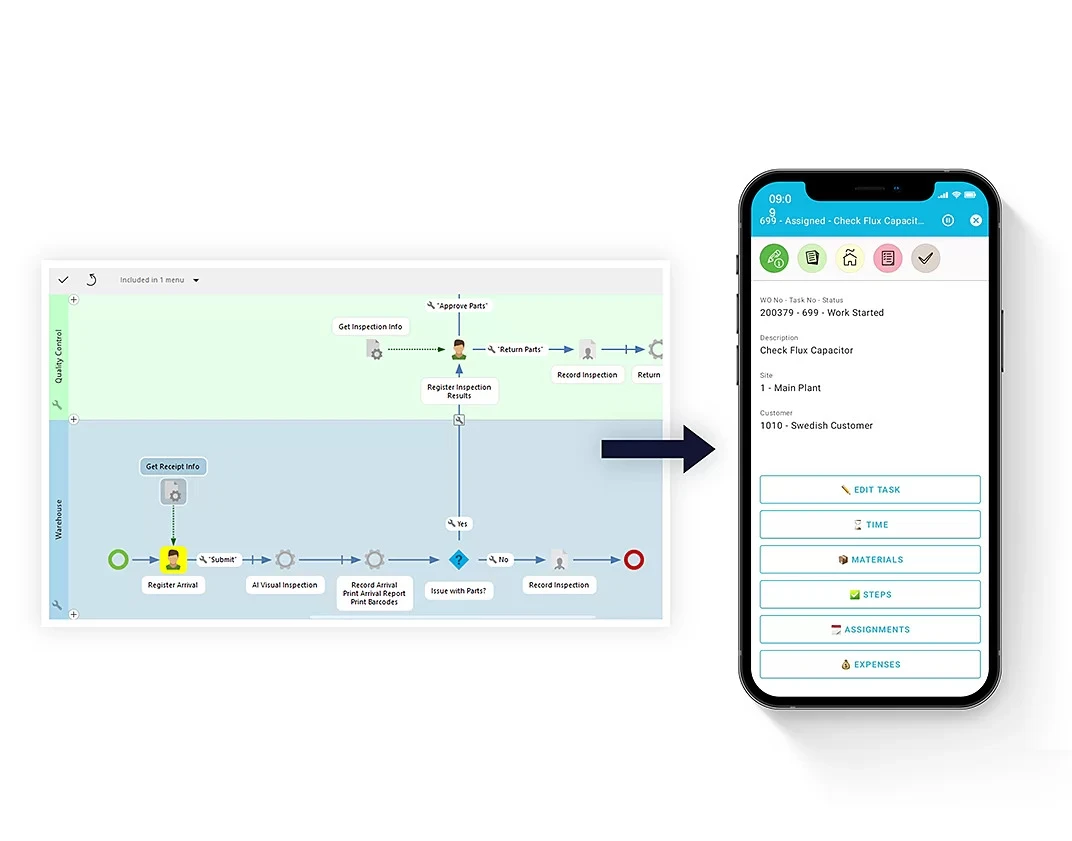
Manufacturers have invested heavily in ERP, WMS, MES, and CRM systems. Yet employees still lose time moving information between applications. The real productivity drain is in the hand-offs between systems. Discover how to fix it.
Manufacturers have invested heavily in ERP, warehouse, production, quality, transport, and customer management systems. Each platform may perform its own role effectively, yet employees can still lose time moving information from one application to another, waiting for approvals, or filling the gaps between systems with spreadsheets and email.
In many cases, the next productivity challenge is no longer inside the individual applications. It sits in the hand-offs between them.
### When Good Systems Still Create Inefficient Work
A modern manufacturing business may rely on ERP for orders and inventory, WMS for warehouse execution, MES for production, CRM for customer information, and specialist applications for transport, quality, or maintenance. Individually, these systems can provide accurate data and sophisticated functionality. The difficulty appears when a business process crosses several of them.
An employee may receive information in one application, complete part of a task in another, and then manually notify someone in a third department. Data may need to be entered again, an approval may depend on an email, or a supervisor may have to check several systems to understand whether work can continue.
The organization is digital, but the process itself is still fragmented. This distinction matters because employees do not experience business systems in isolation. They experience complete workflows. If moving from one step to the next requires manual intervention, productivity can suffer even when every individual platform is working as intended.
### The Hidden Cost of Handoffs
Many of these inefficiencies are easy to overlook because each one appears small. Copying a reference number between applications might take less than a minute. Sending an email to confirm that an inspection has been completed may take only a few more. Switching systems to check stock, production status, or delivery information may seem like an ordinary part of the job.
Repeated across hundreds of transactions and multiple departments, however, those small hand-offs begin to accumulate. They can also introduce operational risks:
- Information may be entered differently in two systems.
- An approval can remain unnoticed in an inbox.
- A warehouse employee may be working from information that has not yet been reflected in the ERP.
- Another team may wait for confirmation that has already been recorded elsewhere.
The result is a form of hidden operational friction that is difficult to identify in a conventional system review. Nothing is necessarily broken. The process is simply requiring more human effort than it should.
> "The data moved. The process did not."
### Why Integration Alone Does Not Solve the Problem
The obvious response is to integrate the systems, and modern APIs make data exchange far easier than it once was. But system integration and workflow integration are not the same thing.
Two applications may exchange data successfully while employees still have to decide what happens next. A production event may update the ERP, for example, but an exception could still require someone to identify the right manager, request approval, and manually communicate the decision back to operations.
A connected workflow also needs to account for people, business rules, and exceptions. It should determine who needs to act, what information they need, how the next step is triggered, and what should happen when the normal sequence cannot continue. This is why process orchestration is becoming an important part of enterprise technology strategies. The challenge is not simply getting systems to communicate. It is getting work to move smoothly across them.
### From Connected Systems to Connected Workflows
One approach is to keep the core transactional systems stable while adding a flexible workflow layer around them. The ERP can remain the system of record for orders, inventory, production, and other core data. Other specialist systems continue to perform their functions, but the workflow layer orchestrates the hand-offs.
This means that when an order is received, the workflow layer can automatically trigger the next steps: checking inventory, scheduling production, notifying the warehouse, and arranging transport. If an exception occurs—say, a machine breaks down—the workflow can route the issue to the right person, capture the decision, and update all relevant systems. No more manual emails or phone calls.
By focusing on the hand-offs, you can unlock significant productivity gains without replacing your existing systems. It's about making the whole greater than the sum of its parts. And that's a goal worth pursuing.